WhatsApp Channel Kya Hai Aur Iska Use Kyu Kiya Jata Hai?
WhatsApp duniya ke sabse popular messaging apps me se ek hai. Pehle log WhatsApp ka use sirf chatting, voice calls aur video calls ke liye karte the, lekin ab WhatsApp ne Channels feature launch karke creators, businesses, influencers aur organizations ko apni audience tak pahunchne ka ek naya tarika de diya hai.
WhatsApp Channel ek one-way broadcast tool hai jahan admin updates share kar sakta hai aur followers un updates ko dekh sakte hain. Ye feature Telegram Channels ki tarah kaam karta hai, lekin WhatsApp ke familiar interface ke saath.
🔔 Don't miss our latest updates!
Tap the bell icon at the top of this channel to turn on notifications.
Agar aap blogger hain, YouTuber hain, digital marketer hain ya apne business ke customers ko updates dena chahte hain, to WhatsApp Channel aapke liye bahut useful ho sakta hai.
WhatsApp Channel Kya Hota Hai?
WhatsApp Channel ek public broadcasting feature hai jiske through aap ek saath hazaron followers tak updates pahucha sakte hain.
Channel par aap:
- Text updates post kar sakte hain
- Photos share kar sakte hain
- Videos upload kar sakte hain
- Polls create kar sakte hain
- Important announcements publish kar sakte hain
Followers aapke updates dekh sakte hain aur emoji reactions de sakte hain, lekin direct reply nahi kar sakte.
Isse spam aur unnecessary messages ki problem nahi hoti.
WhatsApp Channel Aur WhatsApp Group Me Kya Difference Hai?
Bahut log WhatsApp Group aur Channel ko ek hi samajhte hain, lekin dono alag features hain.
WhatsApp Group
- Sab members messages bhej sakte hain
- Discussions ho sakti hain
- Members ek dusre ke numbers dekh sakte hain
- Spam messages aane ka chance hota hai
WhatsApp Channel
- Sirf admin updates bhej sakta hai
- Followers sirf updates dekhte hain
- Personal numbers hidden rehte hain
- Better privacy milti hai
Isi wajah se WhatsApp Channel audience broadcasting ke liye zyada useful mana jata hai.
WhatsApp Channel Banane Ke Liye Kya Chahiye?
Channel create karne se pehle kuch basic requirements hoti hain:
Active WhatsApp Account
Aapke paas ek active WhatsApp account hona chahiye.
Latest WhatsApp Version
Purana WhatsApp version use kar rahe hain to channel option nahi dikhega.
Stable Internet Connection
Channel setup aur updates ke liye internet zaroori hai.
WhatsApp Channel Kaise Banaye?
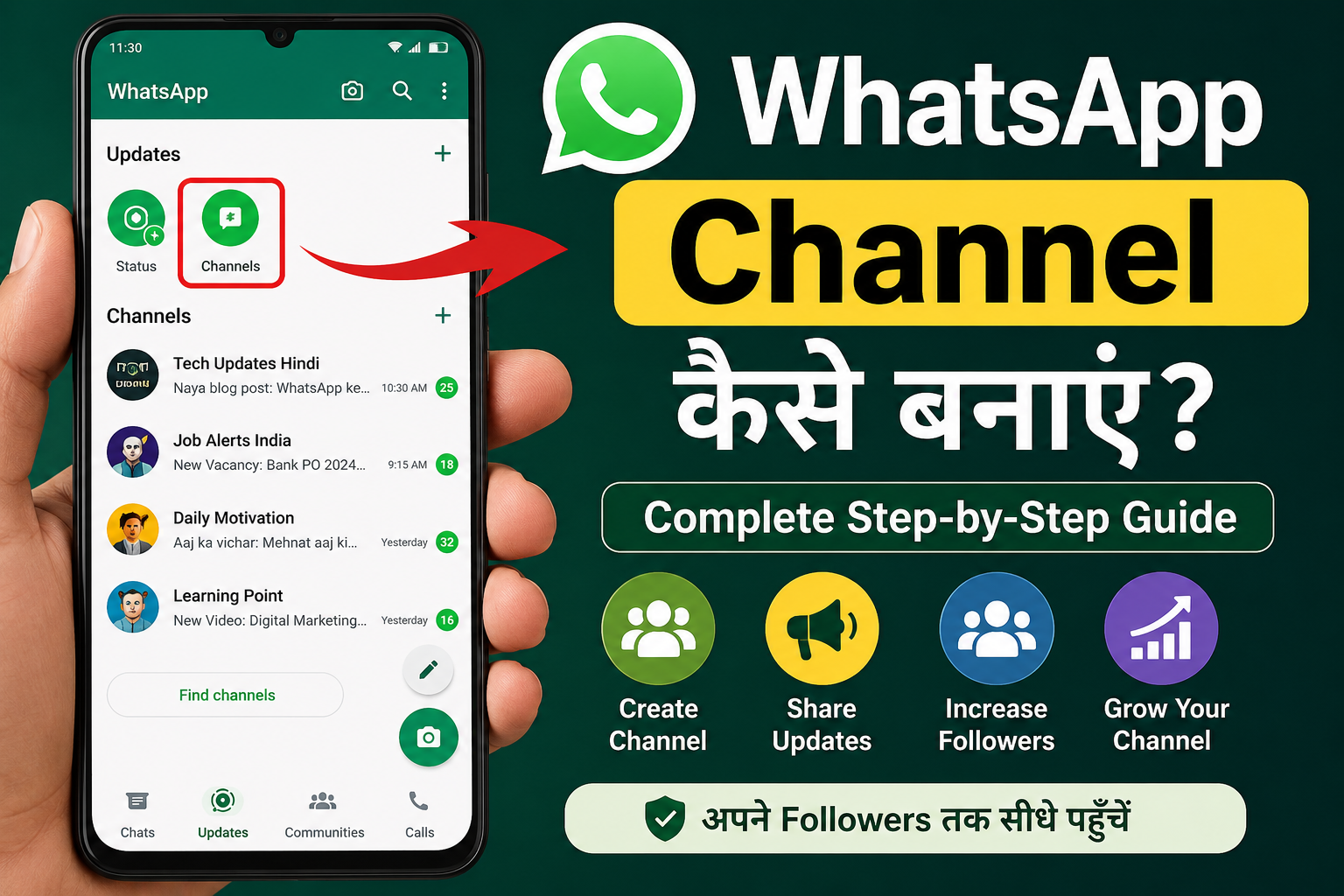
Agar aap apna WhatsApp Channel banana chahte hain to niche diye gaye steps follow karein.
Step 1: WhatsApp Open Kare
Sabse pehle WhatsApp app open karein.
Step 2: Updates Tab Par Jaye
Neeche ya upar “Updates” section dikhai dega.
Us par click karein.
Step 3: Plus (+) Icon Par Tap Kare
Updates section me “+” icon par click karein.
Step 4: Create Channel Select Kare
Menu me “Create Channel” option choose karein.
Step 5: Channel Name Enter Kare
Apne channel ka naam likhein.
Example:
- Tech Updates Hindi
- Daily Motivation
- Sahi Tarika Tips
- Digital Marketing Tips
Step 6: Description Add Kare
Channel ka short description likhein.
Example:
“Yahan aapko daily technology, WhatsApp aur internet tips milenge.”
Step 7: Profile Photo Upload Kare
Professional logo ya image upload karein.
Step 8: Create Channel Button Par Click Kare
Ab aapka WhatsApp Channel ready hai.
Channel Ka Naam Kaise Choose Kare?
Channel ka naam short aur memorable hona chahiye.
Good Examples
- Tech Hindi
- Job Alerts India
- Sahi Tarika
- Daily Quotes Hindi
- Marketing Tips
Avoid
- Bahut lamba naam
- Random numbers
- Difficult spellings
Ek simple aur brand-friendly naam audience ko yaad rehta hai.
WhatsApp Channel Par Kya Post Kar Sakte Hain?
1. Text Updates
Daily tips aur announcements.
2. Images
Offers, infographics aur promotions.
3. Videos
Short tutorials aur updates.
4. Polls
Audience engagement ke liye.
5. Links
Website, blog aur YouTube links.
WhatsApp Channel Ko Grow Kaise Kare?
Channel banana aasaan hai, lekin followers badhana thoda challenging ho sakta hai.
Website Par Link Add Kare
Agar aapke paas website hai to channel link prominently add karein.
Social Media Promotion Kare
Instagram, Facebook aur LinkedIn par channel promote karein.
YouTube Description Me Add Kare
Agar YouTube channel hai to description me WhatsApp Channel link add karein.
Consistent Posting Kare
Regular updates followers ko active rakhte hain.
Valuable Content Share Kare
Sirf promotion nahi, useful information bhi share karein.
WhatsApp Channel Ke Fayde
Direct Reach
Aapke updates directly followers tak pahunchte hain.
Better Engagement
Users instantly updates dekh sakte hain.
Free Marketing Tool
Business promotion ke liye free platform milta hai.
Privacy Protection
Admin aur followers ke personal numbers hidden rehte hain.
Large Audience Support
Hazaron followers ko ek saath update bhejna possible hai.
Businesses Ke Liye WhatsApp Channel Kyu Important Hai?
Aajkal businesses WhatsApp Channel ka use:
- Product launches
- Special offers
- Discounts
- Customer updates
- Event announcements
ke liye kar rahe hain.
Email marketing ki comparison me WhatsApp notifications zyada open ki jaati hain, isliye reach bhi achhi mil sakti hai.
Bloggers Aur Content Creators Ke Liye WhatsApp Channel
Agar aap:
- Blogger hain
- YouTuber hain
- Affiliate Marketer hain
- Digital Marketer hain
to WhatsApp Channel traffic generate karne ka achha source ban sakta hai.
Har naya blog publish karne ke baad aap uska link channel me share kar sakte hain.
Isse repeat visitors aur loyal audience build karna aasaan ho jata hai.
WhatsApp Channel Banate Samay In Galtiyon Se Bache
Sirf Promotional Content Post Na Kare
Useful content bhi share karein.
Spam Updates Na Bheje
Bahut zyada posting se followers mute kar sakte hain.
Misleading Information Share Na Kare
Trust maintain karna bahut zaroori hai.
Inactive Na Rahein
Regular updates audience engagement ko improve karte hain.
WhatsApp Channel Banakar Apni Audience Tak Aasani Se Pahunche
WhatsApp Channel creators, bloggers, businesses aur organizations ke liye ek powerful communication tool hai. Iski madad se aap apne followers ko directly updates, offers aur important information bhej sakte hain. Agar aap apni online audience ko grow karna chahte hain aur ek professional community build karna chahte hain, to WhatsApp Channel aaj ke time me ek behtareen option hai.