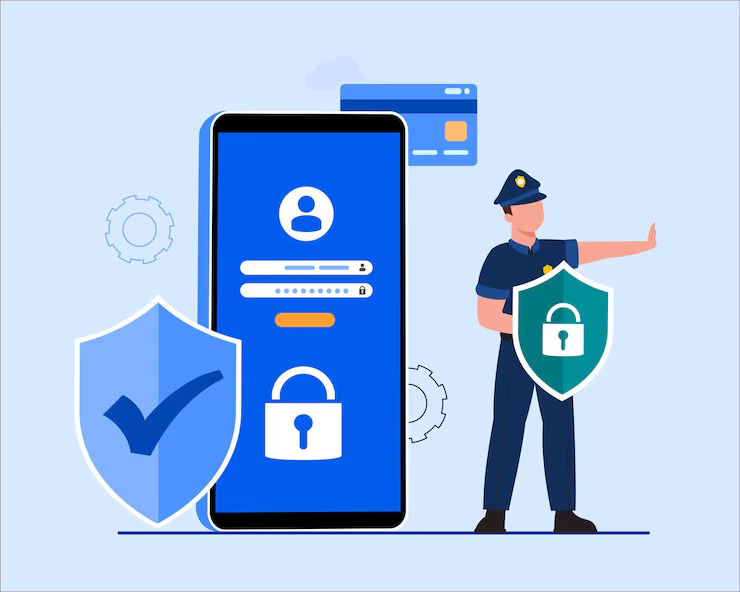
Aaj smartphone humari daily life ka ek important part ban chuka hai. Hum phone ka use calling, WhatsApp, social media, online banking, UPI payments, shopping, emails aur personal documents ke liye karte hain.
Ek smartphone mein itni personal information hone ki wajah se mobile security ko ignore karna risky ho sakta hai.
🔔 Don't miss our latest updates!
Tap the bell icon at the top of this channel to turn on notifications.
Lekin smartphone ko safe rakhne ke liye aapko cybersecurity expert hone ki zaroorat nahi hai. Kuch simple aur practical habits follow karke aap unnecessary security risks ko reduce kar sakte hain.
Google aur Android ki official security guidance users ko strong screen protection, software updates, trusted app sources, Google Play Protect aur careful app-permission management jaise security measures follow karne ki recommendation deti hai.
Is complete guide mein hum mobile security tips ke through samjhenge ki apne smartphone ko hackers, malicious apps, scams aur unauthorized access se better tarike se kaise protect karein.
1. Strong Screen Lock Use Karein
Mobile security ka sabse basic aur important step hai apne phone par strong screen lock lagana.
Agar aapka phone lost ya stolen ho jata hai, to screen lock unauthorized person ke liye phone ke andar ki information access karna difficult bana sakta hai.
Aap available options ke according use kar sakte hain:
- Strong PIN
- Password
- Fingerprint authentication
- Face unlock
Weak PIN Avoid Karein
Common PIN jaise:
- 1234
- 0000
- 1111
- 123456
- Apna easily guess hone wala birth year
avoid karna better hai.
Screen lock aisa hona chahiye jo doosra person easily guess na kar sake.
Auto-Lock Enable Rakhein
Agar phone ko unlocked condition mein chhod diya jata hai, to koi bhi physically phone access kar sakta hai.
Reasonable auto-lock time use karna useful security habit hai.
CERT-In strong passwords, PINs aur supported devices par biometric authentication use karne ki recommendation deta hai.
2. Phone Aur Apps Ko Regularly Update Karein
Bahut users software update notifications ko ignore kar dete hain. Lekin updates sirf naye features ke liye nahi hote.
Software updates mein security patches aur vulnerability fixes bhi ho sakte hain.
Isliye regularly check karein:
- Android ya iOS updates
- Security updates
- App updates
Updates Important Kyon Hain?
Cyber threats constantly change hote rehte hain. Security updates known issues aur vulnerabilities ke against protection improve karne mein help kar sakte hain.
Android ki official security guidance bhi prompt system aur app updates ko important mobile security practice batati hai.
Fake Update Messages Se Bachein
Random SMS, WhatsApp message ya website ke popup mein agar likha ho:
“Your phone is infected. Update immediately!”
to blindly link par click na karein.
Phone updates official device settings ya trusted official sources ke through install karein.
3. Apps Sirf Trusted Sources Se Download Karein
Unknown websites aur random APK files smartphone security ke liye major risk create kar sakte hain.
Possible ho to apps trusted sources se download karein.
- Google Play Store
- Apple App Store
- Official manufacturer sources
CERT-In users ko official curated app stores use karne aur unknown sources se applications install na karne ki recommendation deta hai.
Random APK Files Download Na Karein
Kabhi-kabhi WhatsApp, Telegram ya SMS ke through APK file bheji ja sakti hai.
Message mein likha ho sakta hai:
- “Courier tracking app download karein.”
- “Traffic challan check karein.”
- “Government app install karein.”
- “Bank verification app download karein.”
Lekin unknown APK files malicious ho sakti hain.
CERT-In ki recent advisory users ko WhatsApp, SMS, Telegram aur random websites se APK install na karne ki specifically warning deti hai.
App Install Karne Se Pehle Check Karein
App download karne se pehle check karein:
- Developer ka naam
- Number of downloads
- User reviews
- App ka purpose
- Permissions requested
Sirf familiar logo dekhkar app ko automatically trustworthy assume nahi karna chahiye.
4. Google Play Protect Enable Rakhein
Android users ke liye Google Play Protect ek important built-in security feature hai.
Google Play Protect apps aur devices ko potentially harmful behavior ke liye check karta hai.
Google ke according, Play Protect:
- Apps ko harmful behavior ke liye check karta hai.
- Potentially harmful apps ke baare mein warning de sakta hai.
- Suspicious apps ko disable ya remove kar sakta hai.
- Unknown sources se aaye apps ko bhi check kar sakta hai.
Google security guidance ke according, Play Protect ko enabled rakhna recommended hai.
Play Protect Kaise Check Karein?
Generally Android device par:
- Google Play Store open karein.
- Profile icon par tap karein.
- Play Protect select karein.
- Security status check karein.
Phone aur Android version ke according interface thoda different ho sakta hai.
Play Protect Helpful Hai, Lekin Perfect Protection Nahi
Google Play Protect additional security layer provide karta hai.
Lekin users ko phir bhi suspicious apps, unknown links aur unusual permissions se careful rehna chahiye.
Security ek single feature nahi, balki multiple protective habits ka combination hai.
5. App Permissions Regularly Review Karein
Mobile apps ko different permissions ki zaroorat ho sakti hai.
Examples:
- Camera
- Microphone
- Contacts
- Location
- Storage
- SMS
Permission grant karne se pehle sochiye:
Kya is app ko sach mein is permission ki zaroorat hai?
Ek Simple Example
Agar ek calculator app microphone, contacts aur SMS access maang raha hai, to permission ka purpose carefully check karna chahiye.
Har unusual permission automatically malicious app ka proof nahi hai, lekin users ko unnecessary access blindly grant nahi karna chahiye.
Minimum Permissions Principle Follow Karein
Android security guidance users ko unnecessary permissions review aur remove karne ki recommendation deti hai.
Generally app ko sirf wahi permissions dena better hota hai jo uske actual function ke liye required hon.
Unused Apps Check Karein
Purane aur unused apps phone mein unnecessary security risk create kar sakte hain.
Regularly installed apps review karein aur jo apps use nahi karte unhe remove karne par consider karein.
CERT-In bhi unused applications ko periodically review aur delete karne ki recommendation deta hai.
6. Phishing Links Aur Fake Messages Se Bachein
Har mobile attack technical hacking ke through nahi hota.
Kai scams users ko manipulate karke information collect karne ki koshish karte hain.
Is technique ko phishing ya social engineering ke context mein samjha ja sakta hai.
Aapko suspicious messages mil sakte hain:
- Fake bank alerts
- Fake courier messages
- Lottery messages
- Fake job offers
- KYC update messages
- Account block warnings
- Fake government notices
Urgency Se Manipulate Hone Se Bachein
Scam messages aksar urgency create karte hain.
Example:
“Your bank account will be blocked today.”
Ya:
“Immediate KYC update required.”
Ya:
“Click now to receive your refund.”
Aise messages par immediately react karne ke bajay information independently verify karein.
Link Par Click Karne Se Pehle
Agar message kisi organisation ke naam se aaya hai, to link par click karne ke bajay:
- Official app open karein.
- Organisation ki official website manually search karein.
- Official customer support channel use karein.
CERT-In suspicious websites aur unsolicited messages mein diye gaye links par careful rehne ki recommendation deta hai.
7. OTP, PIN Aur Password Kabhi Share Na Karein
Online scams ka ek common target sensitive information hoti hai.
Kabhi bhi kisi unknown person ke saath share na karein:
- OTP
- UPI PIN
- ATM PIN
- Bank password
- Email password
- Card CVV
Caller Bank Employee Hone Ka Claim Kar Sakta Hai
Scammer call karke claim kar sakta hai ki woh:
- Bank employee hai.
- Customer care executive hai.
- Government official hai.
- Payment company representative hai.
Sirf kisi person ke claim ko proof nahi samajhna chahiye.
Agar doubt ho, call disconnect karke official number independently find karein.
Screen Sharing Apps Se Bhi Careful Rahein
Unknown person ke kehne par remote access ya screen-sharing application install na karein.
Phone screen par sensitive information ho sakti hai.
Kisi unknown person ko remote access dena security aur privacy risk create kar sakta hai.
8. Strong Passwords Aur Two-Step Verification Use Karein
Phone security sirf phone lock tak limited nahi hai.
Aapke important online accounts bhi secure hone chahiye.
Especially:
- Email account
- Google Account
- Apple ID
- Social media accounts
- Financial accounts
Same Password Har Jagah Use Na Karein
Agar ek password multiple accounts par use hota hai aur woh password compromise ho jata hai, to multiple accounts risk mein aa sakte hain.
Important accounts ke liye strong aur unique passwords use karna better security practice hai.
Two-Step Verification Enable Karein
Jahan available ho, two-step verification additional protection provide kar sakti hai.
CERT-In users ko supported applications par two-factor authentication use karne ki recommendation deta hai.
9. Public Wi-Fi Carefully Use Karein
Free public Wi-Fi convenient ho sakta hai, lekin unknown network use karte waqt caution important hai.
Public Wi-Fi use karte waqt:
- Unknown websites avoid karein.
- Sensitive information unnecessarily enter na karein.
- Important financial activities carefully karein.
Automatic Wi-Fi Connection Check Karein
Phone settings mein saved networks aur automatic connection preferences review karna useful ho sakta hai.
Unknown network se automatically connect hona unnecessary privacy ya security concerns create kar sakta hai.
Fake Wi-Fi Networks Se Bachein
Kabhi-kabhi attackers legitimate network jaisa naam use kar sakte hain.
Example:
Airport_Free_WiFi
Naam familiar lagne ka matlab yeh nahi hai ki network genuine hai.
Official location par network name staff ya official information source se verify karna better approach ho sakta hai.
10. Bluetooth Aur Other Wireless Features Carefully Use Karein
Bluetooth useful feature hai, lekin jab aap use nahi kar rahe hain to unnecessary connections aur pairing requests se careful rehna chahiye.
Unknown Pairing Request Accept Na Karein
Agar aapko unknown device se pairing request milti hai, to blindly accept na karein.
Public Places Mein Discoverability Review Karein
Apne phone ki Bluetooth visibility aur device-sharing settings check karna useful ho sakta hai.
Different smartphones mein security options different ho sakte hain.
11. Phone Theft Protection Features Enable Karein
Phone security ka matlab sirf hackers se protection nahi hai.
Physical theft bhi ek important risk hai.
Modern Android devices mein theft protection aur device-finding features available ho sakte hain.
Android ki current security information ke according, theft protection features phone aur data ko theft ke pehle, during aur after better protect karne ke liye designed hain.
Find My Device / Find Hub Setup Check Karein
Apne smartphone mein available device-finding feature ko check karein.
Yeh feature lost device ko locate karne mein helpful ho sakta hai.
Feature name aur availability Android version aur region ke according different ho sakti hai.
Regular Backup Important Hai
Security ka ek important part data recovery bhi hai.
Important data ka secure backup available hone se lost ya damaged device ki situation mein recovery easier ho sakti hai.
Backup mein sensitive information store karte waqt privacy aur account security bhi important hai.
12. Phone Mein Suspicious Activity Dikhe To Kya Karein?
Kabhi-kabhi users ko lagta hai ki unka phone hack ho gaya hai.
Possible warning signs ho sakte hain:
- Unknown apps install hona
- Unexpected popups
- Unusual account login alerts
- Unknown permissions enabled hona
- Suspicious financial activity
Lekin ek important baat samjhein:
Slow phone ya fast battery drain hona automatically hacking ka proof nahi hai.
In problems ke normal technical reasons bhi ho sakte hain.
Step 1: Unknown Apps Check Karein
Installed apps list open karein aur unfamiliar applications review karein.
Suspicious app ke baare mein investigate karein aur zaroorat na hone par remove karein.
Step 2: Security Scan Check Karein
Android users Google Play Protect ke through security status check kar sakte hain.
Google Play Protect potentially harmful apps ko detect karne aur users ko warnings dene mein help karta hai.
Step 3: Important Accounts Secure Karein
Agar suspicious account activity dikh rahi hai, to trusted device se account security review karein.
Passwords change karne aur active sessions check karne par consider karein.
Step 4: Financial Fraud Ke Case Mein Immediate Action Lein
Agar banking ya UPI transaction suspicious lagti hai, to apne financial institution se official channel ke through immediately contact karein.
Cybercrime reporting ke liye India mein official reporting resources bhi available hain.
Related guide ke liye Phone Hack Hua Hai Ya Nahi Kaise Check Kare? bhi padhein.
Related Articles
- Phone Hacking Se Kaise Bache? Complete Guide
- Phone Hack Hua Hai Ya Nahi Kaise Check Kare?
- Second-Hand Mobile Kharidne Se Pehle Kya Check Karein?
- Mobile Category – Sahi Tarika
- Technology Category – Sahi Tarika
Frequently Asked Questions
1. Smartphone ko hackers se kaise safe rakhein?
Strong screen lock use karein, software updated rakhein, trusted sources se apps download karein, suspicious links avoid karein aur important accounts par additional security enable karein.
2. Mobile security ke liye sabse important tip kya hai?
Ek single tip sufficient nahi hai. Strong authentication, regular updates, safe app installation aur phishing se bachna sab important hain.
3. Google Play Protect kya hai?
Google Play Protect Android ka built-in security system hai jo apps aur devices ko potentially harmful behavior ke liye check karta hai.
4. Kya unknown APK install karna safe hai?
Unknown APK files security risk create kar sakti hain. Apps ko trusted official sources se install karna safer approach hai.
5. App permissions check karna kyon important hai?
Apps personal information aur device features ka access request kar sakte hain. Unnecessary permissions privacy aur security concerns create kar sakti hain.
6. Kya public Wi-Fi safe hai?
Public Wi-Fi use karte waqt caution important hai. Sensitive activities aur unknown websites ke saath extra careful rehna chahiye.
7. Kya OTP kisi customer care executive ko de sakte hain?
Nahi. OTP aur other sensitive credentials unknown persons ke saath share nahi karne chahiye.
8. Kya software updates security ke liye important hain?
Haan. Security updates vulnerabilities aur known issues ke against protection improve karne mein help kar sakte hain.
9. Phone hack hone ka kaise pata chalega?
Unknown apps, suspicious account activity aur unusual behavior investigate karna chahiye. Lekin ek single symptom hacking ka definite proof nahi hota.
10. Agar phone lost ho jaye to kya karein?
Available device-finding aur theft-protection features use karein, important accounts secure karein aur situation ke according relevant service providers se contact karein.
Conclusion
Smartphone security ko complicated samajhne ki zaroorat nahi hai.
Kuch basic habits aapke phone aur personal information ki protection significantly improve kar sakti hain.
Sabse important mobile security tips hain:
- Strong screen lock use karein.
- Phone aur apps updated rakhein.
- Apps trusted sources se download karein.
- Google Play Protect enabled rakhein.
- App permissions review karein.
- Suspicious links avoid karein.
- OTP aur PIN kabhi share na karein.
- Important accounts par two-step verification use karein.
- Public Wi-Fi carefully use karein.
- Phone theft protection aur backup settings check karein.
Google Play Protect harmful apps ke against built-in protection provide karta hai, jabki current Android security features updates, account protection, scam protection aur theft protection jaise multiple security layers offer karte hain.
Sabse important rule simple hai: Agar koi link, message, caller ya app suspicious lag raha hai, to usse blindly trust na karein.
Smart digital habits aur available security features ka combination aapke smartphone ko better protected rakhne mein help kar sakta hai.