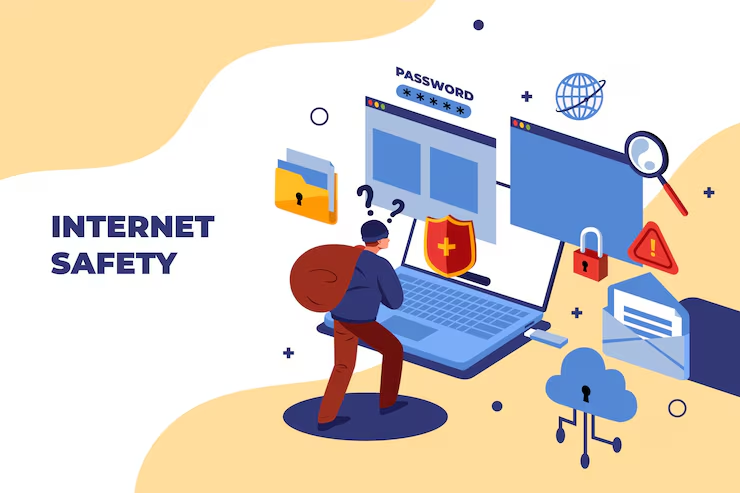
Internet hamari daily life ka important part ban chuka hai. Hum online banking, UPI payments, shopping, social media, email, work, study aur entertainment ke liye internet use karte hain. Lekin convenience ke saath kuch security risks bhi aate hain.
🔔 Don't miss our latest updates!
Tap the bell icon at the top of this channel to turn on notifications.
Achhi baat ye hai ki online safe rehne ke liye aapko cybersecurity expert hone ki zaroorat nahi hai. Kuch simple habits jaise strong passwords use karna, two-factor authentication enable karna, software update rakhna aur suspicious links se bachna aapki online security ko kaafi improve kar sakta hai.
Is guide mein hum practical Internet Safety Tips samjhenge jise beginners bhi easily follow kar sakte hain.
Agar aap internet ke basic working ko samajhna chahte hain, to pehle Internet Kaise Kaam Karta Hai? wali guide bhi padh sakte hain.
Internet Safety Kya Hai Aur Ye Important Kyon Hai?
Internet safety ka simple meaning hai online activities ke dauran apne personal information, accounts, devices aur money ko unnecessary risks se protect karna.
Online security ka risk sirf hacking tak limited nahi hai. Scammers phishing messages, fake websites, malicious apps, fake customer-care calls aur social engineering jaise methods ka use karke users ko manipulate kar sakte hain.
Isliye internet safety ko ek single security tool ki tarah nahi, balki multiple safe habits ke combination ke roop mein dekhna better hai.
Aapki basic online safety checklist mein ye habits honi chahiye:
- Strong aur unique passwords use karein.
- Two-factor authentication enable karein.
- Software aur apps updated rakhein.
- Unknown links aur attachments avoid karein.
- Personal information unnecessarily share na karein.
- Trusted sources se apps aur software download karein.
- Public Wi-Fi use karte waqt extra caution rakhein.
Strong Aur Unique Passwords Ka Use Karein
Password online security ki first line of defence hai. Lekin sirf password strong hona enough nahi hai. Important accounts ke liye unique passwords use karna bhi zaroori hai.
Example ke liye, agar aap Gmail, Instagram aur shopping account par same password use karte hain aur woh password compromise ho jata hai, to multiple accounts risk mein aa sakte hain.
Better approach ye hai ki:
- Har important account ke liye different password rakhein.
- Long password ya passphrase use karein.
- Apna naam, birthday ya mobile number password mein avoid karein.
- Common passwords jaise 123456 ya password use na karein.
- Multiple passwords manage karne ke liye trusted password manager consider karein.
Strong passwords aur account protection ke baare mein aur practical information ke liye aap Apne Personal Data Ko Secure Karne Ke Best Tech Tips bhi padh sakte hain.
Two-Factor Authentication Zaroor Enable Karein
Two-factor authentication ya 2FA aapke account ke liye password ke upar ek additional security layer add karta hai.
Normally login karne ke liye username aur password sufficient hote hain. 2FA enable hone par account additional verification maang sakta hai, jaise verification code, authenticator app code, security key ya biometric verification.
Iska advantage ye hai ki agar kisi attacker ko aapka password pata bhi chal jaye, to additional authentication ke bina account access karna difficult ho sakta hai.
Sabse important accounts par 2FA enable karna consider karein:
- Email account
- Google ya Apple account
- Social media accounts
- Financial accounts
- Shopping accounts
- Cloud storage accounts
Jahan authenticator app ya security key available ho, woh options SMS-only verification ke comparison mein stronger protection provide kar sakte hain.
Phishing Links Aur Fake Messages Se Bachein
Online scams mein phishing ek common technique hai. Ismein scammer genuine company, bank, delivery service, government department ya kisi known person ki identity imitate karke aapko information share karne ya malicious link open karne ke liye convince kar sakta hai.
Suspicious messages kuch is tarah ke ho sakte hain:
- “Your bank account will be blocked today.”
- “Complete KYC immediately.”
- “Your parcel is waiting. Pay delivery charges.”
- “Congratulations! You won a prize.”
- “Your account has been compromised. Login now.”
Aise messages mein urgency create karne ki koshish hoti hai. Isliye panic mein click karne ke bajay independently verify karein.
Link Par Click Karne Se Pehle Kya Check Karein?
- Sender ka email address ya phone number check karein.
- URL carefully dekhein.
- Spelling mistakes aur unusual domain names par attention dein.
- Unexpected attachments open na karein.
- Bank ya company ki website manually open karke information verify karein.
FTC bhi users ko unexpected messages mein diye gaye links aur attachments ke saath caution rakhne aur genuine organisation ko independently contact karne ki advice deta hai. :contentReference[oaicite:1]{index=1}
Software, Browser Aur Apps Ko Updated Rakhein
Software updates ko ignore karna online security ke liye unnecessary risk create kar sakta hai. Updates sirf naye features ke liye nahi hote; unmein security fixes aur vulnerability patches bhi ho sakte hain.
Regularly check karein:
- Operating system updates
- Web browser updates
- Mobile app updates
- Security updates
- Router firmware updates
Possible ho to automatic updates enable rakhein.
FTC ke security guidance ke according, operating system, browser, apps aur security software ko updated rakhna known security threats ke against protection improve karne mein help karta hai. :contentReference[oaicite:2]{index=2}
Personal Information Online Carefully Share Karein
Internet par har information share karna zaroori nahi hota. Personal information ka misuse identity theft, scams, account takeover ya targeted fraud ke liye kiya ja sakta hai.
Publicly share karne se pehle sochiye ki kya aapko ye information really post karni hai:
- Full date of birth
- Personal phone number
- Home address
- Identity document details
- Banking information
- Passwords ya PIN
- OTP
- Travel plans
Specially OTP, UPI PIN, ATM PIN, password aur card security information kisi unknown person ke saath share nahi karni chahiye.
Social media par privacy settings ko bhi periodically review karein. Har post ko public rakhna zaroori nahi hai.
Apps Aur Downloads Ko Trusted Sources Tak Limit Rakhein
Unknown websites se software, browser extensions ya mobile APK files download karna security risk create kar sakta hai.
Apps install karte waqt possible ho to official app stores aur developer ki official website ka use karein.
Download karne se pehle check karein:
- Developer ka naam
- App reviews
- Number of downloads
- Requested permissions
- Official website
- App ka actual purpose
Agar ek simple application unnecessary permissions maang raha hai, to install karne se pehle carefully consider karein.
Smartphone security ko aur detail mein samajhne ke liye Mobile Security Tips: How to Keep Your Smartphone Safe from Hackers padhein.
Public Wi-Fi Aur Shared Networks Carefully Use Karein
Airport, hotel, cafe, railway station ya shopping mall ka public Wi-Fi convenient hota hai, lekin unknown network use karte waqt caution important hai.
Public Wi-Fi use karte waqt:
- Network name official source se verify karein.
- Automatic connection settings review karein.
- Sensitive activities ke liye personal mobile data consider karein.
- Suspicious login pages par credentials enter na karein.
- Device aur browser ko updated rakhein.
Public Wi-Fi ke risks aur safe usage ke baare mein detailed guide ke liye Free WiFi Kitna Safe Hai? Public WiFi Ke Hidden Risks padhein.
Public Wi-Fi ko automatically “dangerous” samajhna bhi correct nahi hai. Modern websites mein HTTPS widespread hai, lekin fake networks, phishing pages aur unsafe websites jaise risks ab bhi exist karte hain.
Phone Aur Computer Ko Physically Bhi Secure Rakhein
Internet safety sirf online activity tak limited nahi hai. Agar phone ya laptop physically kisi unauthorized person ke haath mein chala jaye, to stored information risk mein aa sakti hai.
Isliye:
- Phone par strong screen lock use karein.
- Computer par login password rakhein.
- Auto-lock enable rakhein.
- Important data ka backup rakhein.
- Lost-device tracking feature configure karein.
- Unknown USB devices ko blindly connect na karein.
Phone hacking se related advanced precautions ke liye Phone Hacking Se Kaise Bache – Advanced Cyber Security Guide 2026 bhi useful rahega.
Agar Online Scam Ya Suspicious Activity Ho Jaye To Kya Karein?
Agar aapne accidentally suspicious link open kar diya, password share kar diya ya account mein unusual activity notice ki, to panic na karein. Jaldi action lena important hai.
- Suspicious website ya conversation close karein.
- Agar password compromise hua hai to trusted device se password change karein.
- Two-factor authentication enable karein.
- Account ke active sessions aur login activity check karein.
- Suspicious apps ko review karein.
- Agar financial transaction involved hai to bank ya payment provider ke official channel se immediately contact karein.
- Relevant cybercrime reporting channel par report karein.
Agar malware install hone ka suspicion ho, to affected device par sensitive accounts mein repeatedly login karne se pehle security scan aur account protection steps consider karein. FTC bhi malware incident ke baad security software update, scan, password changes aur two-factor authentication jaise steps recommend karta hai. :contentReference[oaicite:3]{index=3}
2026 Mein Safe Online Rehne Ki Simple Checklist
Agar aapko poori guide ka short version chahiye, to ye checklist save kar sakte hain:
- ☑ Har important account ke liye unique password rakhein.
- ☑ Two-factor authentication enable karein.
- ☑ Software aur apps updated rakhein.
- ☑ Unknown links par click na karein.
- ☑ Suspicious attachments open na karein.
- ☑ OTP, PIN aur passwords share na karein.
- ☑ Personal information unnecessarily public na karein.
- ☑ Apps trusted sources se download karein.
- ☑ App permissions periodically review karein.
- ☑ Public Wi-Fi par extra caution rakhein.
- ☑ Important data ka backup rakhein.
- ☑ Suspicious account activity ko immediately investigate karein.
Related Articles
Online security ko aur better samajhne ke liye Sahi Tarika ki ye related guides bhi padhein:
- Internet Kaise Kaam Karta Hai? Beginner Guide
- Free WiFi Kitna Safe Hai? Public WiFi Ke Hidden Risks
- Apne Personal Data Ko Secure Karne Ke Best Tech Tips
- Mobile Security Tips: How to Keep Your Smartphone Safe from Hackers
Internet, browsing aur online safety se related aur guides ke liye Sahi Tarika Internet Category explore karein.
Frequently Asked Questions
1. Internet safety kya hoti hai?
Internet safety ka matlab online activities ke dauran personal information, accounts, devices aur money ko unnecessary cyber risks se protect karna hai.
2. Online safe rehne ka sabse important rule kya hai?
Suspicious links aur messages par blindly trust na karein. Iske saath strong passwords, two-factor authentication aur regular software updates bhi important hain.
3. Kya same password multiple websites par use karna safe hai?
Nahi. Agar ek password compromise ho jata hai, to same password wale multiple accounts risk mein aa sakte hain. Important accounts ke liye unique passwords use karna better hai.
4. Two-factor authentication kyon important hai?
2FA password ke upar ek additional authentication layer add karta hai. Isse password compromise hone ke baad bhi unauthorized login ko prevent karna more difficult ho sakta hai.
5. Phishing message ko kaise identify karein?
Unexpected urgency, suspicious links, unusual sender addresses, spelling mistakes, fake rewards aur sensitive information ki demand phishing ke warning signs ho sakte hain.
6. Kya public Wi-Fi safe hai?
Public Wi-Fi automatically unsafe nahi hota, lekin unknown networks ke saath caution zaroori hai. Network name verify karein aur sensitive activities ke liye personal mobile data consider karein.
7. Kya OTP kisi ko batana safe hai?
Nahi. OTP, UPI PIN, ATM PIN aur passwords jaise sensitive credentials unknown callers ya messages ke through kisi ke saath share nahi karne chahiye.
8. Software update karna kyon zaroori hai?
Software updates mein security patches aur vulnerability fixes ho sakte hain. Updated software known security issues ke against protection improve karne mein help kar sakta hai.
9. Kya unknown APK install karna safe hai?
Unknown APK files malicious software ya unwanted behaviour ka risk create kar sakti hain. Apps ko trusted official sources se download karna safer approach hai.
10. Agar online scam ho jaye to kya karein?
Jaldi action lein. Suspicious activity stop karein, affected passwords change karein, 2FA enable karein aur financial fraud hone par relevant bank ya payment provider ko immediately official channel se contact karein.
Conclusion
Internet safety complicated nahi honi chahiye. Most users ke liye kuch consistent security habits online risks ko significantly reduce kar sakti hain.
Strong aur unique passwords, two-factor authentication, updated software, careful browsing, safe downloads aur phishing awareness ko apni daily digital routine ka part banayein.
Sabse important baat ye hai ki online security kisi ek app ya antivirus par completely depend nahi karti. Aapki awareness aur daily digital habits bhi utni hi important hain.
Technology aur online platforms continuously change hote rehte hain, isliye security information ko bhi periodically review karna important hai.
Sahi Tarika ke content verification process ke baare mein jaane ke liye Sahi Tarika Fact Checking Policy dekhein.
Aapko latest technology changes ke according articles update karne ke process ke baare mein Sahi Tarika Content Update Policy se bhi information mil sakti hai.
Technology, internet aur practical digital guides ke liye Sahi Tarika homepage visit karein.