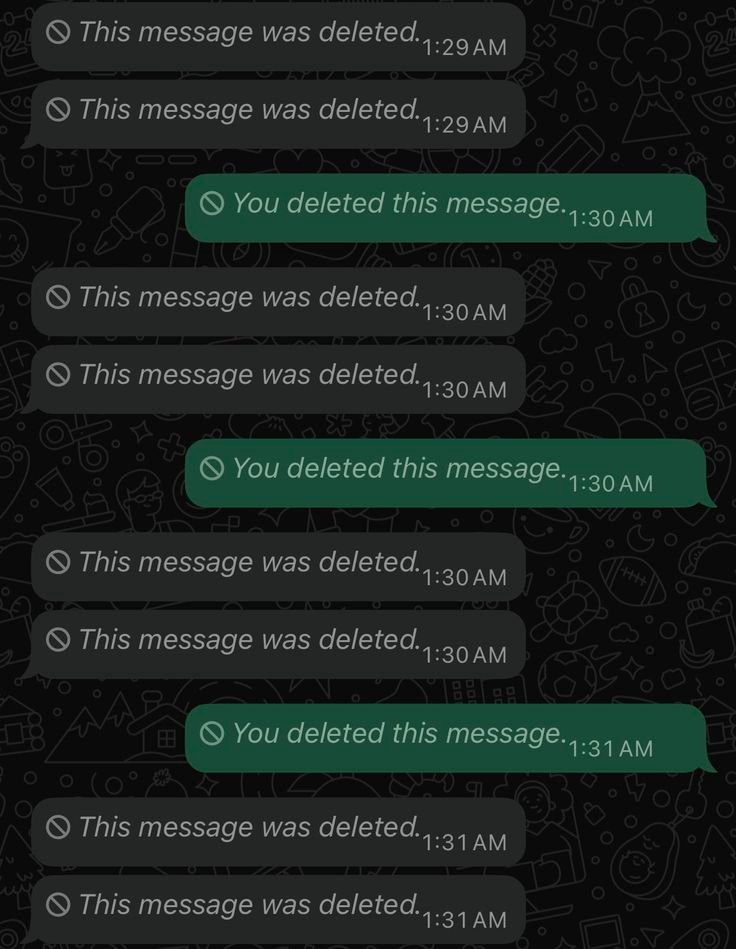
WhatsApp Deleted Message Kaise Dekhe? Ye sawal tab aur important ho jata hai jab kisi ne message bhejne ke baad use Delete for Everyone kar diya ho. Chat me message ki jagah “This message was deleted” dikhne lagta hai aur naturally curiosity hoti hai ki us message me kya likha tha.
🔔 Don't miss our latest updates!
Tap the bell icon at the top of this channel to turn on notifications.
Lekin internet par deleted WhatsApp messages dekhne ke naam par bahut se shortcuts, apps aur tricks milti hain. Har method genuine ya safe nahi hota. Isliye is guide me hum clearly samjhenge ki WhatsApp deleted message ke case me kya possible hai, kya possible nahi hai, Notification History kab kaam kar sakti hai aur backup restore karne se kya risk ho sakta hai.
Sabse important baat: WhatsApp officially deleted message ko normal chat ke andar dobara open karne ka option nahi deta. Kuch situations me notification history ya purane backup se information mil sakti hai, lekin ye guaranteed recovery methods nahi hain.
WhatsApp Delete for Everyone Kya Hai?
WhatsApp me agar aap koi message galat chat me bhej dete hain ya message me mistake ho jati hai, to WhatsApp us message ko delete karne ke options deta hai. Delete for Everyone ka use karne par message sender aur recipient ki chat se remove kiya ja sakta hai.
Delete hone ke baad original message ki jagah generally “This message was deleted” दिखाई देता है. WhatsApp ke official help information ke according, deleted message ko wapas paane ka koi normal direct option nahi hai, jab tak woh message kisi backup me included na ho.
Iska matlab ye hai ki WhatsApp ke andar koi secret button, hidden folder ya official “Show Deleted Message” option nahi hai.
- Delete for Everyone: Message conversation se remove ho sakta hai.
- Delete for Me: Message sirf aapki copy se remove hota hai.
- Deleted message: Chat me deleted-message indicator दिखाई दे सकता है.
- Recovery: Direct recovery officially guaranteed nahi hai.
Pro Tip: Agar message important hai, to delete hone se pehle uska screenshot, forwarded copy ya relevant information save karna recovery tricks par depend karne se zyada reliable hai.
Kya WhatsApp Deleted Message Officially Dekh Sakte Hain?
Short answer: Normally nahi.
WhatsApp deleted message ko dobara read karne ke liye koi standard official feature provide nahi karta. Agar sender ne message Delete for Everyone kar diya aur aapne use pehle nahi padha, to WhatsApp ke normal chat interface se us original content ko wapas kholna possible nahi hota.
WhatsApp ke official documentation ke mutabik, deleted message ko wapas paane ka possibility backup par depend kar sakta hai. Isliye “100% deleted WhatsApp message recovery” jaise claims par blindly trust nahi karna chahiye.
Ek aur important point ye hai ki deleted message aur disappearing message same cheez nahi hain. WhatsApp me Disappearing Messages ek alag privacy feature hai jisme messages selected duration ke baad disappear ho sakte hain.
Agar aap WhatsApp ki privacy ko aur strong banana chahte hain, to WhatsApp Chat Lock jaise official privacy features bhi useful ho sakte hain.
Android Notification History Se Deleted Message Kaise Dekhe?
Android phones me kuch devices par Notification History feature available hota hai. Agar WhatsApp message ka notification aapke phone par pehle aa chuka tha aur Notification History us waqt enabled thi, to notification ka text kuch situations me baad me dekha ja sakta hai.
Lekin ye WhatsApp deleted message recovery ka official WhatsApp feature nahi hai. Ye Android ke notification system par depend karta hai.
Notification History Check Karne Ka General Tarika
- Phone ki Settings open karein.
- Notifications section me jayein.
- Notification History option search karein.
- Agar feature available aur pehle se enabled hai, to recent notifications check karein.
- WhatsApp notification me available text ko dekhein.
Settings ka exact path Samsung, Google Pixel, OnePlus, Xiaomi, Motorola aur doosre Android brands me alag ho sakta hai.
Notification History Ki Important Limitations
- Har Android phone me feature ka interface same nahi hota.
- Agar notification history pehle se enabled nahi thi, to purana notification normally recover nahi kiya ja sakta.
- Notification me jitna text receive hua tha, wahi available ho sakta hai.
- Photos, videos, voice notes aur other media ka original content is method se reliably recover nahi hota.
- Notification settings, message preview aur phone software bhi result ko affect kar sakte hain.
Isliye Notification History ko possible workaround samjhein, guaranteed deleted-message recovery method nahi.
WhatsApp Backup Se Deleted Message Recover Ho Sakta Hai?
Haan, kuch situations me purane backup se message history recover ho sakti hai. Lekin yahan timing sabse important factor hai.
Maan lijiye aapka WhatsApp backup Monday raat ko bana tha aur Tuesday ko koi important message delete hua. Agar required message backup banne ke time chat history me present tha, to appropriate backup restore karne par woh history wapas milne ki possibility ho sakti hai.
Lekin agar message backup banne ke baad receive hua tha, to us backup me woh message hoga hi nahi. WhatsApp ke official restore guidance ke according, latest backup ke baad send ya receive hui messages restore nahi ki ja sakti.
Backup Restore Karne Se Pehle Ye Zaroor Samjhein
- Backup ki date aur time check karein.
- Message deletion ke time ko backup time se compare karein.
- Recent important chats ka risk samjhein.
- Restore se pehle current chat history ko blindly delete na karein.
- Same phone number aur relevant backup account ki requirement ko check karein.
Important: Backup restore ko sirf deleted message dekhne ke liye bina soche use karna risky ho sakta hai. Purane backup par restore karne se backup ke baad ki recent conversations lose ho sakti hain. WhatsApp ye bhi clarify karta hai ki chat history WhatsApp ke servers par aise store nahi hoti ki company aapke liye manually restore kar de.
Third-Party Deleted Message Apps Safe Hain?
Google par search karne par aapko kai apps mil sakti hain jo claim karti hain ki wo deleted WhatsApp messages ko automatically save ya recover kar sakti hain. Lekin in apps ko install karne se pehle privacy risk ko seriously samajhna chahiye.
Aisi apps notification access maang sakti hain. Notification access milne par app ko phone par aane wali notifications ki information read karne ki permission mil sakti hai. Kuch apps additional storage ya media permissions bhi request kar sakti hain.
Isliye sirf deleted message dekhne ke liye unknown application install karna har situation me sensible choice nahi hai.
Third-Party Apps Se Kya Risk Ho Sakta Hai?
- Private notifications expose ho sakti hain.
- Personal information unnecessary permissions ke through accessible ho sakti hai.
- Fake apps misleading recovery claims kar sakti hain.
- Malicious applications security risk create kar sakti hain.
- Unofficial apps ke use se account security compromise ho sakti hai.
Pro Tip: Agar koi application “100% deleted WhatsApp messages recovery” ka claim kare, to us claim ko guarantee na samjhein. App install karne se pehle developer, permissions, reviews aur source ko carefully check karein.
Deleted WhatsApp Messages Ko Lekar Common Myths
Myth 1: Har Deleted Message Wapas Dekh Sakte Hain
Reality: Nahi. WhatsApp deleted messages ko normal chat me automatically restore karne ka official option nahi deta.
Myth 2: Notification History Har Phone Me Kaam Karegi
Reality: Nahi. Ye device, Android version aur pehle se enabled notification history par depend karta hai.
Myth 3: Backup Se Har Deleted Message Mil Jayega
Reality: Sirf wahi chat history useful ho sakti hai jo relevant backup me available thi. Latest backup ke baad wali messages restore nahi ki ja sakti.
Myth 4: Third-Party App Sab Messages Recover Kar Sakti Hai
Reality: Aisi guarantee reliable nahi hai. Kuch apps notification-based information save kar sakti hain, lekin ye WhatsApp ki original deleted-message recovery nahi hai.
WhatsApp Privacy Aur Security Kaise Better Karein?
Deleted messages ko recover karne ke shortcuts ke bajay WhatsApp ki privacy aur security settings ko properly configure karna zyada useful hai.
- WhatsApp ko regularly update rakhein.
- Strong phone screen lock use karein.
- Two-step verification enable karein.
- Important chats ke liye Chat Lock use karein.
- Unknown apps ko unnecessary permissions na dein.
- WhatsApp backup ko regularly review karein.
- Linked devices ko periodically check karein.
Agar aap WhatsApp par kisi user ke messages ya profile behaviour ko lekar confused hain, to WhatsApp par block hone ka pata kaise kare wali guide bhi useful ho sakti hai.
Aur agar aap WhatsApp se regular updates receive karna chahte hain, to WhatsApp Channel kaise banaye wali guide dekhi ja sakti hai.
Final Verdict: WhatsApp Deleted Message Kaise Dekhe?
Agar aapka question hai “WhatsApp deleted message kaise dekhe?”, to sabse honest answer ye hai ki deleted message ko WhatsApp ke andar directly recover karne ka guaranteed official option nahi hai.
Kuch Android phones me pehle se enabled Notification History se notification ka text mil sakta hai. Agar message relevant backup me included tha, to backup restore ek possibility ho sakti hai. Lekin dono methods ki clear limitations hain.
Third-party apps ko sirf deleted messages ke naam par blindly install karna avoid karein, khaaskar jab wo notification, storage ya personal information ki permissions maangti hon.
Sabse safe approach hai WhatsApp ke official features, regular backups, strong phone security aur privacy settings ka use karna. Agar information genuinely important hai, to future me important messages ko backup, screenshot ya appropriate saved copy ke through preserve karna better strategy hai.
Related WhatsApp Articles
- WhatsApp Chat Lock Kaise Kare? Step-by-Step Guide
- WhatsApp Channel Kaise Banaye? Step-by-Step Guide (2026)
- WhatsApp Par Block Hone Ka Pata Kaise Kare? 7 Aasan Tarike
- Sabse Pehle WhatsApp Ke New Updates Aur Features Ke Barein Me Jaane
1. WhatsApp deleted message kaise dekhe?
WhatsApp officially deleted message ko normal chat me dobara dikhane ka direct option nahi deta. Kuch Android phones me pehle se enabled Notification History se notification ka text mil sakta hai.
2. Kya Delete for Everyone ke baad message recover ho sakta hai?
Normally nahi. Agar message kisi suitable backup me included tha, to backup restore se chat history recover hone ki possibility ho sakti hai.
3. Kya Notification History se WhatsApp deleted message dekha ja sakta hai?
Kuch Android devices me possible ho sakta hai, lekin Notification History pehle se enabled honi chahiye aur notification me available text hi mil sakta hai.
4. Kya iPhone me Android jaisi Notification History hoti hai?
iPhone me Android ke Notification History jaisa general system feature nahi hota, isliye Android wala method iPhone par same tarah apply nahi hota.
5. Kya WhatsApp backup se deleted message mil sakta hai?
Agar required message backup create hone ke time chat me available tha, to backup restore karne par us history ko recover karne ki possibility ho sakti hai.
6. Backup restore karne se kya recent chats delete ho sakti hain?
Haan. Agar aap purane backup par restore karte hain, to latest backup ke baad ki chat history restore nahi ho sakti. Isliye restore se pehle backup timing carefully check karein.
7. Kya third-party deleted message apps safe hoti hain?
Har third-party app safe nahi hoti. Kuch apps notification aur other sensitive permissions maang sakti hain, isliye unknown applications se bachna better hai.
8. Kya WhatsApp deleted photos bhi recover ho sakti hain?
Guaranteed recovery nahi hai. Notification History generally media ka original content recover nahi karti. Backup aur device storage ki situation alag ho sakti hai.
9. Kya WhatsApp deleted message dekhne ke liye koi secret code hai?
Nahi. WhatsApp deleted messages ko directly reveal karne ke liye koi official secret code ya hidden feature provide nahi karta.
10. Deleted messages se bachne ke liye kya karein?
Agar koi information important hai, to uska screenshot ya appropriate saved copy rakhein. Saath hi regular WhatsApp backup aur strong account security settings maintain karein.