Email ka reply kaise karein? Email aaj bhi personal communication, office work, business, education aur online services ke liye bahut important hai. Lekin email receive karna jitna easy hai, uska sahi reply likhna har kisi ke liye utna simple nahi hota.
🔔 Don't miss our latest updates!
Tap the bell icon at the top of this channel to turn on notifications.
Kai baar confusion hota hai ki sirf sender ko reply karein ya sabhi recipients ko, subject change karna chahiye ya nahi, attachment kaise bhejna hai aur professional email ka reply kis tarah likhna chahiye.
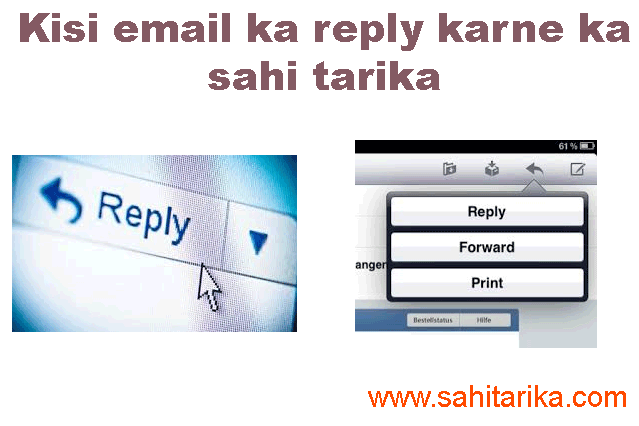
Gmail mein kisi message ka reply karne ke liye aap Reply ya zarurat ke according Reply all option use kar sakte hain. Google ke current Gmail Help ke according Reply sender ko response bhejta hai, jabki Reply all sender ke saath To aur Cc mein maujood recipients ko response bhejta hai. Google ki official Gmail Help mein current options dekhe ja sakte hain.
Is article mein hum simple Hinglish mein samjhenge ki email ka reply kaise karein, professional reply ka format kya ho, Reply aur Reply all mein kya difference hai aur email reply karte waqt kaun-si common mistakes avoid karni chahiye.
Email Ka Reply Kab Karna Chahiye?
Har email ka turant reply dena zaroori nahi hota, lekin agar email mein question, request, confirmation, deadline ya important information maangi gayi hai, to appropriate time mein response dena professional habit hai.
Email ka reply karne se pehle message ko poora padh lein. Sirf subject dekhkar response likhne ki jaldi na karein.
Reply karne se pehle ye check karein:
- Sender ne exactly kya poocha hai?
- Kya kisi document ya information ki zarurat hai?
- Kya email mein koi deadline di gayi hai?
- Kya attachment mention ki gayi hai?
- Kya email mein aur log bhi involved hain?
- Kya response formal hona chahiye ya casual?
Pro Tip: Agar email important hai, to reply bhejne se pehle ek baar apna answer dobara padh lein. Isse spelling mistakes, missing information aur accidental errors kam ho sakte hain.
Gmail Mein Email Ka Reply Kaise Karein?
Gmail mein email ka basic reply karna bahut simple hai. Computer par process generally is tarah hota hai:
- Apne Gmail account mein login karein.
- Inbox mein jis email ka reply karna hai, use open karein.
- Email ke neeche Reply option par click karein.
- Reply box mein apna message likhein.
- Message ko dobara check karein.
- Zarurat ho to attachment add karein.
- Sab kuch sahi hone par Send par click karein.
Google ke official instructions ke according Gmail mein message open karne ke baad Reply ya Reply all option choose kiya ja sakta hai. :contentReference[oaicite:5]{index=5}
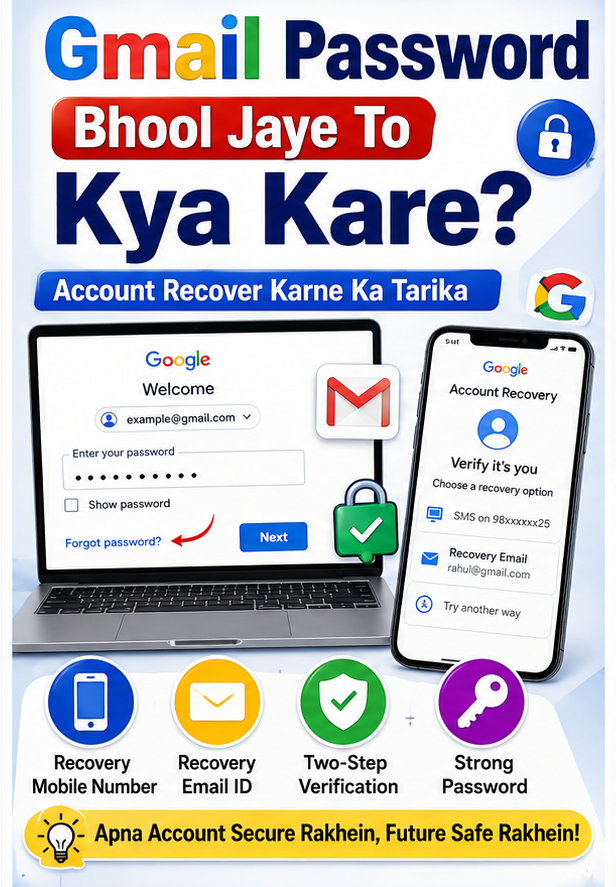
Agar aapko apne Gmail account se related doosri problem hai, to Gmail password bhool jaane par kya karein wali guide bhi useful ho sakti hai.
Reply Aur Reply All Mein Kya Difference Hai?
Email reply karte waqt sabse common confusion Reply aur Reply all ko lekar hoti hai.
Reply
Reply ka use normally tab karein jab aapko sirf original sender ko response dena ho. Agar email mein kai log Cc mein hain aur aapka response un sabhi ke liye relevant nahi hai, to Reply zyada appropriate ho sakta hai.
Reply All
Reply all ka use tab karein jab aapka answer email conversation mein included sabhi relevant recipients ke liye important ho.
Example ke liye, agar office project ki email mein manager aur team members sabhi Cc mein hain aur aapka status update poori team ko pata hona chahiye, to Reply all useful ho sakta hai.
Important: Reply all ko unnecessarily use na karein. Agar response sirf sender ke liye hai, to poori team ke inbox mein unnecessary email bhejne se bachein.
Professional Email Reply Kaise Likhein?
Professional email ka reply short, clear aur respectful hona chahiye. Bahut lamba explanation dene ki zarurat nahi hoti, lekin sender ke question ka proper answer milna chahiye.
Ek simple professional email structure ye ho sakta hai:
- Greeting: Hello/Hi/Dear ke saath recipient ko address karein.
- Opening: Email ke liye thanks ya acknowledgement dein.
- Main response: Question ka direct answer dein.
- Additional information: Zarurat ho to relevant details add karein.
- Closing: Thank you, Regards ya Best regards jaise closing words use karein.
- Name: Apna naam likhein.
Example:
Hi Rahul,
Thank you for your email. Aapne jo document manga tha, woh is email ke saath attach kar diya hai.
Agar kisi additional information ki zarurat ho to please batayein.
Regards,
Amit
Ye simple format office, business aur general professional communication mein situation ke according modify kiya ja sakta hai.
Email Reply Mein Attachment Kaise Bhejein?
Agar sender ne kisi file, document, photo ya PDF ki request ki hai, to reply karte waqt attachment add kar sakte hain.
Attachment bhejne se pehle ye checklist follow karein:
- File sahi hai ya nahi check karein.
- File ka naam understandable rakhein.
- Attachment actually add hua hai ya nahi verify karein.
- Large file ho to suitable cloud link use karne par consider karein.
- Confidential document wrong recipient ko na bhejein.
Sabse common mistake ye hoti hai ki email mein “document attached hai” likh diya jata hai lekin actual attachment add karna bhool jaate hain.
Hack: Pehle attachment add karein, phir email likhein. Isse Send button press karne se pehle attachment check karna easy rahega.
Email Reply Karte Waqt Common Mistakes
Professional email communication mein chhoti mistakes bhi confusion create kar sakti hain. Isliye reply bhejne se pehle kuch basic points check karein.
- Recipient ka naam galat na likhein.
- Reply all ka unnecessary use na karein.
- Bahut emotional language avoid karein.
- ALL CAPS mein poora email na likhein.
- Unnecessary emojis professional emails mein avoid karein.
- Attachment mention karke attachment bhool na jaayein.
- Subject ko bina reason change na karein.
- Unverified information ko confidently forward na karein.
- Confidential information ko wrong recipient ko na bhejein.
- Send karne se pehle spelling aur recipient list check karein.
Agar email suspicious lage aur usmein password, OTP, banking details ya personal information maangi gayi ho, to reply karne ki jaldi na karein. Suspicious email ko verify karna aur zarurat padne par spam/phishing ke roop mein report karna safer approach hai.
Online safety ke liye Sahi Tarika ka Online Fraud hone par kya karein guide bhi dekhein.
Email Ko Smartly Manage Karne Ke Useful Tips
Agar aapko roz bahut saare emails milte hain, to sirf reply karna hi enough nahi hai. Inbox ko properly manage karna bhi zaroori hai.
Aap:
- Important emails ko star kar sakte hain.
- Different topics ke liye labels use kar sakte hain.
- Unwanted newsletters se unsubscribe kar sakte hain.
- Unwanted senders ko block kar sakte hain.
- Specific emails ke liye Gmail filters create kar sakte hain.
- Old unnecessary emails ko delete kar sakte hain.
Gmail mein unwanted promotional emails ke liye Unsubscribe option available ho sakta hai. Google ke according unsubscribe ke baad mailing list se emails completely stop hone mein kuch din lag sakte hain. Gmail ka official Unsubscribe guide current process explain karta hai. :contentReference[oaicite:6]{index=6}
Gmail filters ka use karke incoming messages ko labels, archive, delete ya other actions ke liye automatically manage bhi kiya ja sakta hai. :contentReference[oaicite:7]{index=7}
Digital clutter kam karne ke liye Sahi Tarika ka digital life organize karne ka guide bhi useful hai.
Related Email & Internet Articles
- Gmail Password Bhool Jaye To Kya Kare
- Online Fraud Ho Jaye To Kya Kare
- Organize Your Digital Life with These Effective Strategies
- Apne Personal Data Ko Secure Karne Ke Best Tech Tips
Frequently Asked Questions
Email ka reply kaise karein?
Gmail mein email open karke neeche Reply option par click karein, apna response likhein, zarurat ho to attachment add karein aur Send par click karein.
Reply aur Reply all mein kya difference hai?
Reply normally sender ko response bhejta hai, jabki Reply all sender ke saath To aur Cc mein included relevant recipients ko response bhejta hai.
Kya har email ka turant reply karna zaroori hai?
Nahi. Lekin important work, deadline, customer enquiry ya specific request wale emails ka appropriate time mein reply karna professional practice hai.
Professional email ka reply kaise likhein?
Greeting, short acknowledgement, direct answer, required details aur professional closing ke saath concise response likhein.
Email mein attachment bhejte waqt kya dhyan rakhein?
Correct file select karein, file ka naam check karein aur Send karne se pehle confirm karein ki attachment actually email ke saath add hua hai.
Reply all kab use karna chahiye?
Jab aapka response email conversation mein included sabhi relevant recipients ke liye useful ya necessary ho, tab Reply all use kar sakte hain.
Kya email ka subject change karna chahiye?
Normal reply mein existing subject ko continue karna usually better hota hai. Agar conversation ka topic completely change ho gaya hai, tab new subject ke saath separate email bhejna clearer ho sakta hai.
Suspicious email ka reply karna chahiye?
Agar email suspicious hai aur password, OTP, banking information ya personal details maang raha hai, to reply na karein. Sender aur request ko independently verify karein.
Unwanted promotional emails kaise band karein?
Genuine newsletter ya promotional email mein available Unsubscribe option use karein. Unwanted ya suspicious messages ko situation ke according block ya report spam bhi kiya ja sakta hai.
Email reply bhejne se pehle kya check karna chahiye?
Recipient, message content, attachment, spelling, links aur Reply/Reply all selection check karke hi email send karein.
Conclusion
Email ka reply karna simple kaam hai, lekin ek achha reply wahi hota hai jo clear, relevant aur situation ke according professional ho. Gmail mein Reply aur Reply all ka sahi use karna, attachments verify karna aur message bhejne se pehle recipient check karna basic lekin important habits hain.
Professional communication ke liye unnecessary long replies ke bajay short aur meaningful response dene ki koshish karein. Agar email suspicious ho, to sirf reply karne ke bajay pehle uski authenticity verify karein.
Gmail ke features aur interface time ke saath change ho sakte hain. Isliye important Gmail settings ya security-related action lene se pehle official Gmail Help Center ki latest information check karna useful hai.
Internet aur email se judi aur practical guides ke liye Sahi Tarika Internet category visit karein.