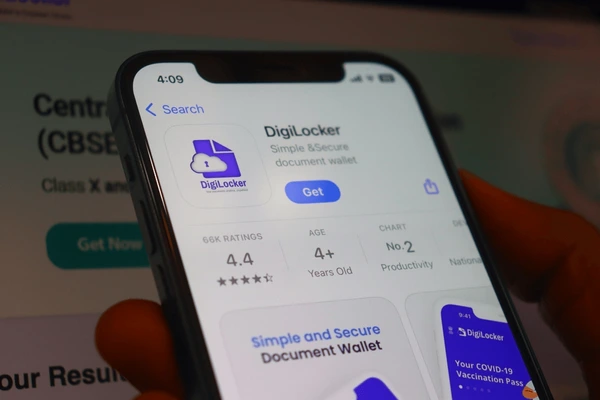
Aaj ke digital time me important documents ko sirf physical file me rakhna convenient nahi hai. Aadhaar, PAN, Driving Licence, vehicle documents aur educational certificates jaise documents ko digital form me access karne ki zarurat aksar padti hai. DigiLocker isi purpose ke liye Government of India ka digital document platform hai.
🔔 Don't miss our latest updates!
Tap the bell icon at the top of this channel to turn on notifications.
Agar aap search kar rahe hain DigiLocker Ka Use Kaise Kare, to is guide me hum account setup, documents access karna, Driving Licence retrieve karna, educational documents use karna, sharing aur safety jaise important points ko simple Hinglish me samjhenge.
DigiLocker Kya Hai Aur Kyu Useful Hai?
DigiLocker ek digital platform hai jahan users supported digital documents aur certificates ko access aur manage kar sakte hain.
Iska purpose physical documents ka convenient digital access provide karna hai. Lekin ek important distinction samajhna zaroori hai: DigiLocker me available document aur kisi document ki manually scanned image/PDF ek hi cheez nahi hoti.
Jahan issuing authority se authentic digital document fetch karne ka option available ho, wahan official digital document ko preference dena useful hota hai.
DigiLocker ke possible uses me include ho sakta hai:
- Driving Licence access karna
- Vehicle-related documents access karna
- Educational certificates retrieve karna
- Supported identity documents access karna
- Documents digitally share karna
DigiLocker Account Kaise Banaye?
DigiLocker use karne ke liye official platform/app se account setup karein. Interface time ke saath change ho sakta hai, isliye screen labels current version ke according slightly different ho sakte hain.
- Official DigiLocker website ya official mobile application open karein.
- Sign up ya account creation option select karein.
- Required mobile information enter karein.
- OTP verification complete karein.
- Required account details set karein.
- Available identity verification process complete karein.
Account banate waqt sirf official DigiLocker website/application use karein. Search engine me sponsored ya suspicious third-party links par blindly click na karein.
Government-related information ko regularly update karna important hai. Sahi Tarika ki Content Update Policy me government services ke content updates ke approach ko explain kiya gaya hai.
DigiLocker Me Documents Kaise Access Karein?
DigiLocker me available documents ka process document aur issuing authority ke according change ho sakta hai.
Driving Licence
Driving Licence ke liye appropriate issuing authority select karke required licence details enter karni pad sakti hain. Verification complete hone ke baad supported digital record account me appear ho sakta hai.
Detailed instructions ke liye Driving Licence Download Kaise Kare guide dekhein.
Educational Documents
Students ke liye DigiLocker particularly useful ho sakta hai, kyunki supported educational records ko digital form me access karne ki facility available ho sakti hai.
College admission, scholarship, recruitment ya document verification ke context me digital records useful ho sakte hain, lekin specific institution ki document requirements hamesha check karein.
Other Documents
Available documents ki list issuing authority aur DigiLocker integration par depend kar sakti hai. Isliye har document ko manually upload kar dena aur official issued document retrieve karna same process nahi hai.
DigiLocker Ke Main Features Aur Fayde
- Digital access: Supported documents ko internet-connected device se access kar sakte hain.
- Convenience: Har situation me physical document carry karne ki dependency kam ho sakti hai.
- Document sharing: Supported documents ko digital methods se share kiya ja sakta hai.
- Educational records: Supported academic records ko access karna easier ho sakta hai.
- Centralized access: Multiple digital records ek account environment se access kiye ja sakte hain.
Phir bhi important documents ke context me backup planning useful hai. Critical information ke liye sirf ek app par completely dependent rehna practical nahi hai.
DigiLocker Safe Hai Ya Nahi?
DigiLocker government-backed digital service hai, lekin user ko apni account security ka bhi dhyan rakhna chahiye.
OTP Kisi Ke Saath Share Na Karein
OTP verification code ko phone par call karne wale unknown person ke saath share na karein.
Fake DigiLocker Websites Se Bachein
Official domain/app ka use karein. Kisi unknown website par Aadhaar details, OTP, password ya other sensitive information enter karne se pehle domain verify karein.
Public Device Par Logout Karein
Agar aap shared computer ya kisi other person’s device par account access karte hain, to kaam complete hone ke baad logout karein.
Mobile Security Maintain Karein
Phone me screen lock, updated operating system aur trusted applications ka use karein.
Sahi Tarika ki Fact Checking Policy bhi dekhein, jisme reliable sources aur verification approach explain ki gayi hai.
Students Aur Job Seekers Ke Liye DigiLocker
DigiLocker students aur job seekers ke liye especially useful ho sakta hai.
For example, admission ya recruitment process ke dauran candidates ko certificates, marksheets aur identity documents ki zarurat pad sakti hai. Agar relevant digital document available hai, to access aur sharing easier ho sakti hai.
Lekin application submit karne se pehle organization ki exact document requirements check karein. Kuch institutions specific format, original document ya additional verification demand kar sakte hain.
College Admission
Academic records digitally access karna admission process ke dauran convenient ho sakta hai.
Job Application
Recruitment me educational certificates aur identity documents ki zarurat ho sakti hai. Supported digital documents quick reference ke liye useful ho sakte hain.
Document Verification
Digital document availability verification process ko convenient bana sakti hai, lekin acceptance organization ke rules par depend kar sakta hai.
DigiLocker Use Karte Waqt Common Mistakes
- Fake DigiLocker website par login karna
- OTP share karna
- Unknown person ko account access dena
- Public computer par logout na karna
- Official app ke bajay unknown APK install karna
- Document requirements verify kiye bina application submit karna
- Digital document aur scanned copy ko same samajhna
- Old instructions ko blindly follow karna
Government services frequently change ho sakti hain. Isi reason se Sahi Tarika ki content policy bhi government procedures aur technology-related information ko periodically review karne ki recommendation deti hai.
Frequently Asked Questions
DigiLocker kya hai?
DigiLocker Government of India ka digital document platform hai jahan supported digital documents aur records ko access kiya ja sakta hai.
Kya DigiLocker free hai?
DigiLocker ki core digital document service users ke liye available hai. Current features aur terms ke liye official platform check karein.
DigiLocker me Driving Licence kaise milega?
Supported process ke through issuing authority aur Driving Licence details provide karke digital record retrieve kiya ja sakta hai.
Kya DigiLocker documents valid hote hain?
Officially issued digital documents ki acceptance applicable rules aur organization/authority ke requirements par depend karti hai.
Kya DigiLocker safe hai?
Government-backed platform hone ke bawajood users ko OTP, password aur account security ka dhyan rakhna chahiye.
Kya DigiLocker me educational certificates mil sakte hain?
Supported institutions aur records ke liye educational documents available ho sakte hain.
Kya DigiLocker me Aadhaar access kar sakte hain?
Available services aur current integration ke according identity-related records access options change ho sakte hain.
Kya DigiLocker documents phone me use kar sakte hain?
Haan, supported digital records mobile device par access kiye ja sakte hain.
DigiLocker ka official website kaunsa hai?
Important document access ke liye hamesha official DigiLocker platform ka hi use karein aur suspicious third-party links se bachein.
DigiLocker account secure kaise rakhein?
Strong account security maintain karein, OTP share na karein, suspicious links avoid karein aur shared devices par logout karein.