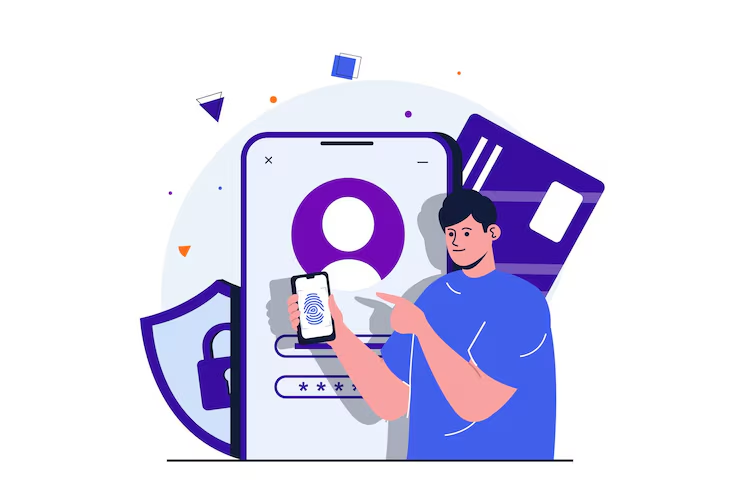
Aaj ke digital time mein password sirf ek chhota sa code nahi hai. Hamare email, social media, shopping accounts, cloud storage, banking services aur bahut se important online accounts password ke through protected hote hain. Isi wajah se strong password banana aur har important account ke liye unique password use karna online security ka basic part hai.
🔔 Don't miss our latest updates!
Tap the bell icon at the top of this channel to turn on notifications.
Problem ye hai ki bahut se log abhi bhi easy-to-guess passwords use karte hain, jaise apna naam, mobile number, date of birth, 123456 ya password. Aise passwords yaad rakhna easy hota hai, lekin security ke point of view se weak ho sakte hain.
Ek aur common mistake hai same password ko multiple websites par use karna. Agar kisi ek service ka password leak ho jaye aur wahi password doosre accounts mein bhi use ho raha ho, to additional accounts bhi risk mein aa sakte hain.
Is guide mein hum simple Hinglish mein samjhenge ki strong password kaise banayein, password kitna long hona chahiye, passphrase kya hoti hai, password manager kaise help karta hai, 2FA kyu important hai aur password banate waqt kin mistakes se bachna chahiye.
Online security se judi aur practical information ke liye Sahi Tarika homepage bhi visit kar sakte hain.
Strong Password Kyu Zaroori Hai?
Password ka primary purpose account ko unauthorized access se protect karna hai. Agar password predictable, short ya commonly used hai, to attacker ke liye account access karne ki possibility badh sakti hai.
Weak password ke common examples hain:
- 123456
- password
- 12345678
- apna naam
- mobile number
- date of birth
- family member ka naam
- same password har account par use karna
Public information se related passwords especially avoid karne chahiye. Agar aap social media par apna naam, birthday, pet ka naam ya favourite team openly share karte hain, to in details ko password ka part banana predictable ho sakta hai.
Strong password ka goal sirf difficult-looking characters add karna nahi hai. Ek good password ko long, unique aur difficult to guess hona chahiye.
Sahi Tarika ke existing article mein bhi simple passwords aur multiple accounts par password reuse ko security risk ke roop mein explain kiya gaya hai.
Aap aur digital-safety guides ke liye Sahi Tarika Internet category dekh sakte hain.
Strong Password Mein Kya Hona Chahiye?
Strong password banane ke liye sabse important factor length aur uniqueness hai. Sirf uppercase, lowercase, number aur symbol add kar dena sufficient strategy nahi hai agar password bahut short ya predictable hai.
Ek strong password ke important characteristics:
- Reasonably long ho.
- Har important account ke liye unique ho.
- Personal information par based na ho.
- Common words ya predictable patterns avoid kare.
- Username ya email address ka obvious part na ho.
- Repeated characters ya simple sequences par depend na kare.
- Different websites par reuse na kiya jaye.
Example ke liye Rahul123 jaisa password naam aur predictable number combination use karta hai. Is tarah ka password avoid karna better hai.
Iske comparison mein ek long, random password ya memorable passphrase zyada practical approach ho sakti hai.
Ek important point: password ko complicated dikhane ke liye sirf “P@ssw0rd123” jaise predictable substitutions par depend na karein. Attackers common patterns ko identify karne ke liye automated techniques use kar sakte hain.
Long Password Ya Passphrase Kaise Banayein?
Strong password banane ka practical method hai ek long passphrase use karna, especially un situations mein jahan password manually yaad rakhna ho.
Passphrase ka matlab hota hai multiple unrelated words ka longer combination.
For example, normal short password ki jagah aap ek unique phrase-style structure use kar sakte hain. Lekin exact example ko apne actual account password ke roop mein copy nahi karna chahiye.
Passphrase banate waqt:
- Several unrelated words choose karein.
- Personal information avoid karein.
- Common quote ya famous sentence copy na karein.
- Password ko sufficiently long rakhein.
- Har account ke liye different passphrase use karein.
Long password ka advantage ye hai ki password ka size increase hota hai aur aapko unnecessarily complicated character pattern yaad rakhne ki zaroorat nahi pad sakti.
Important accounts ke liye randomly generated passwords aur password manager ka combination aur bhi practical ho sakta hai.
Pro tip: Kisi article, social media post ya is guide mein diya hua exact password kabhi apne real account ke liye use na karein. Publicly visible examples ko attackers bhi dekh sakte hain.
Har Account Ke Liye Alag Password Kyu Rakhein?
Ye password security ka sabse important rules mein se ek hai.
Maan lijiye aapne ek shopping website par password MyPassword123 use kiya aur exactly wahi password email, social media aur cloud storage par bhi laga diya.
Agar shopping account ka password kisi data breach ya phishing incident mein expose ho jata hai, to attacker wahi credentials other services par try kar sakta hai.
Is risk ko password reuse se related risk samjha ja sakta hai.
Isliye:
- Email ka password alag rakhein.
- Banking-related account ka password alag rakhein.
- Social media accounts ke passwords unique rakhein.
- Shopping websites ke passwords reuse na karein.
- Cloud-storage accounts ke liye separate credentials rakhein.
Sab passwords manually yaad rakhna difficult lag sakta hai. Isi problem ko solve karne ke liye password managers useful hote hain.
Strong password ke saath additional account protection ke liye 2FA kya hai aur kaise kaam karta hai wali Sahi Tarika guide bhi useful hai.
Password Manager Kya Hai Aur Kyu Use Karein?
Password manager ek tool hai jo passwords ko securely store aur manage karne mein help karta hai. Iska biggest advantage ye hai ki aapko har account ka complicated password manually yaad rakhne ki zaroorat nahi hoti.
Aap ek password manager ke through:
- Unique passwords generate kar sakte hain.
- Passwords securely store kar sakte hain.
- Different accounts ke credentials manage kar sakte hain.
- Strong random passwords use karna easier bana sakte hain.
Example ke liye, agar aapke 20 online accounts hain, to 20 different strong passwords manually remember karna difficult ho sakta hai. Password manager is problem ko considerably simplify kar sakta hai.
Lekin password manager use karne ka matlab ye nahi ki security automatically perfect ho gayi.
Password manager ke liye:
- Strong master password/passphrase use karein.
- Available multi-factor authentication enable karein.
- Official application ya trusted service use karein.
- Recovery options securely configure karein.
- Unknown browser extensions ya applications install karne se bachein.
Apne personal data ko secure rakhne ke aur methods ke liye personal data security ke best tech tips bhi padh sakte hain.
Password Ke Saath 2FA Kyu Enable Karein?
Strong password important hai, lekin password alone har situation mein sufficient protection provide nahi karta. Isi wajah se important accounts par Two-Factor Authentication ya 2FA enable karna useful security layer hai.
2FA mein login ke waqt password ke alawa ek additional verification step ho sakta hai.
Example ke liye:
- Aap username aur password enter karte hain.
- Service additional verification request karti hai.
- Aap authenticator app, security key ya available verification method se identity confirm karte hain.
- Uske baad account access milta hai.
Iska advantage ye hai ki agar kisi attacker ko password pata bhi chal jaye, to additional authentication layer account ko further protect kar sakti hai.
Sahi Tarika ki dedicated 2FA guide mein Two-Factor Authentication, authentication methods aur security checklist ko detail mein explain kiya gaya hai.
Jahan available ho, important email, social media, cloud aur other sensitive accounts par 2FA/MFA enable karna sensible security practice hai.
Password Banate Waqt Ye 10 Mistakes Avoid Karein
Strong password banane ke baad bhi kuch common mistakes account security ko weak kar sakti hain.
- Same password reuse karna: Har important account ke liye unique password rakhein.
- Mobile number use karna: Phone number personal information hai aur easily predictable ho sakta hai.
- Date of birth use karna: Birthday ko password mein use karna avoid karein.
- Naam use karna: Apna ya family member ka naam password ka primary part na banayein.
- 123456 jaisi sequence: Simple number patterns avoid karein.
- Username ko password banana: Username aur password same ya almost same na rakhein.
- Password share karna: Friends, colleagues ya unknown support agents ke saath password share na karein.
- OTP ko password samajhna: OTP temporary verification code hota hai; ise kisi person ke saath share nahi karna chahiye.
- Public computer par password save karna: Shared devices par browser mein credentials save karne se pehle carefully sochiye.
- Suspicious link par login karna: Unknown email ya message ke link se login karne ke bajay official website/app directly open karein.
Online privacy ke broader protection ke liye online privacy protect karne ki guide bhi useful hai.
Password Leak Hone Ka Risk Kaise Kam Karein?
Kisi bhi online service par account create karne ke baad aap completely control nahi karte ki company apne systems ko kaise secure rakhti hai. Isliye account security ko multiple layers mein sochna better hai.
Aap apni side se ye steps follow kar sakte hain:
- Unique password use karein.
- Important accounts par 2FA/MFA enable karein.
- Security alerts ko ignore na karein.
- Unknown login notifications ko investigate karein.
- Suspicious password-reset emails ko carefully verify karein.
- Old accounts ko review karein.
- Unused accounts ko unnecessarily active na rakhein.
Agar kisi service se notification milta hai ki account credentials compromised ho sakte hain, to official website/app ke through password change karein. Email ke suspicious links par click karke password change karne ke bajay service ko directly open karna safer approach ho sakta hai.
Agar aap smartphone security bhi improve karna chahte hain, to Sahi Tarika ki Mobile Security Tips guide mein screen lock, updates, trusted apps, Play Protect aur app permissions jaise topics cover kiye gaye hain.
Strong Password Banane Ki Simple Checklist
Agar aap abhi apne passwords improve karna start kar rahe hain, to ek saath sab accounts change karne ki zaroorat nahi hai. Pehle important accounts ko priority dein.
Is simple checklist se start karein:
- Primary email account identify karein.
- Uska unique strong password set karein.
- 2FA/MFA enable karein.
- Recovery email aur phone number verify karein.
- Banking aur financial accounts ko review karein.
- Social media passwords reuse ho rahe hain to change karein.
- Shopping aur other important accounts ke passwords unique banayein.
- Password manager consider karein.
- Old saved passwords ko review karein.
- Suspicious login alerts ko ignore na karein.
Ek practical rule yaad rakhein: long + unique + protected with additional authentication password security ke liye strong starting point hai.
Password security ko one-time task na samjhein. Jab important security alert aaye, account compromise ka suspicion ho ya password unnecessarily exposed ho gaya ho, tab appropriate action lena chahiye.
Related Articles
Online account security aur smartphone protection ko better samajhne ke liye Sahi Tarika par ye related guides bhi useful hain:
- 2FA Kya Hai? Online Security Strong Karein
- Apne Personal Data Ko Secure Karne Ke Best Tech Tips
- Mobile Security Tips: Smartphone Ko Safe Kaise Rakhein
- Protecting Your Online Privacy
Technology aur digital-security information ko periodically review karna important hai. Sahi Tarika ki Content Update Policy ke according technology-related instructions software aur platform changes ke saath update kiye ja sakte hain.
Strong password kya hota hai?
Strong password generally long, unique aur difficult-to-guess hota hai. Ismein personal information ya common patterns avoid kiye jaane chahiye.
Password kitne characters ka hona chahiye?
Password ki strength sirf character count par depend nahi karti, lekin longer passwords generally better starting point hote hain. Practical approach hai long, unique password ya passphrase use karna.
Kya har account ke liye alag password rakhna chahiye?
Haan. Important accounts ke liye unique passwords use karna better hai, kyunki ek password compromise hone par password reuse ke through other accounts risk mein aa sakte hain.
Kya mobile number ko password bana sakte hain?
Mobile number ko password banana avoid karein. Personal information relatively predictable ho sakti hai aur password ke liye better choice nahi hai.
Kya date of birth password mein use karni chahiye?
Nahi. Date of birth aur other publicly available personal information ko password mein use karna avoid karna better hai.
Password manager kya hota hai?
Password manager ek tool hai jo multiple account passwords ko securely store aur manage karne mein help karta hai. Ye unique strong passwords use karna easier bana sakta hai.
Kya password manager safe hota hai?
Password manager ki security us service, configuration aur user practices par depend karti hai. Trusted service choose karein, strong master password use karein aur available multi-factor authentication enable karein.
Strong password ke saath 2FA zaroori hai?
2FA har situation mein technically mandatory nahi hota, lekin important accounts ke liye additional authentication layer security improve kar sakti hai. Jahan available ho, ise enable karna useful hai.
Agar password leak ho jaye to kya karein?
Official service ko directly open karke password change karein, same password use hone wale other accounts ko bhi review karein aur available 2FA/MFA enable karein.
Kya OTP kisi ko batana chahiye?
Nahi. OTP authentication ke liye use hota hai aur ise unknown person, caller, message sender ya supposed support agent ke saath share nahi karna chahiye.
External security references:
- CISA – Use Strong Passwords
- NIST – Passwords and Authentication
- Google Account Help – 2-Step Verification
Final takeaway: Strong password banana difficult nahi hai. Sabse important habits hain—long aur unique passwords use karna, password reuse avoid karna, password manager consider karna aur important accounts par 2FA/MFA enable karna. Online security ko ek single password ki problem na samjhein; multiple security layers milkar account protection ko stronger banati hain.
Sahi Tarika ki Fact Checking Policy bhi reliable sources aur important information ko cross-check karne ki importance explain karti hai.